
Restaurant Chatbot
Make an AI chatbot for your restaurant or cafe. You can create an AI menu that can talk to your guests and suggest items with prices. Guests can simply scan a QR code with their smartphones and start a conversation with your restaurant chatbot.
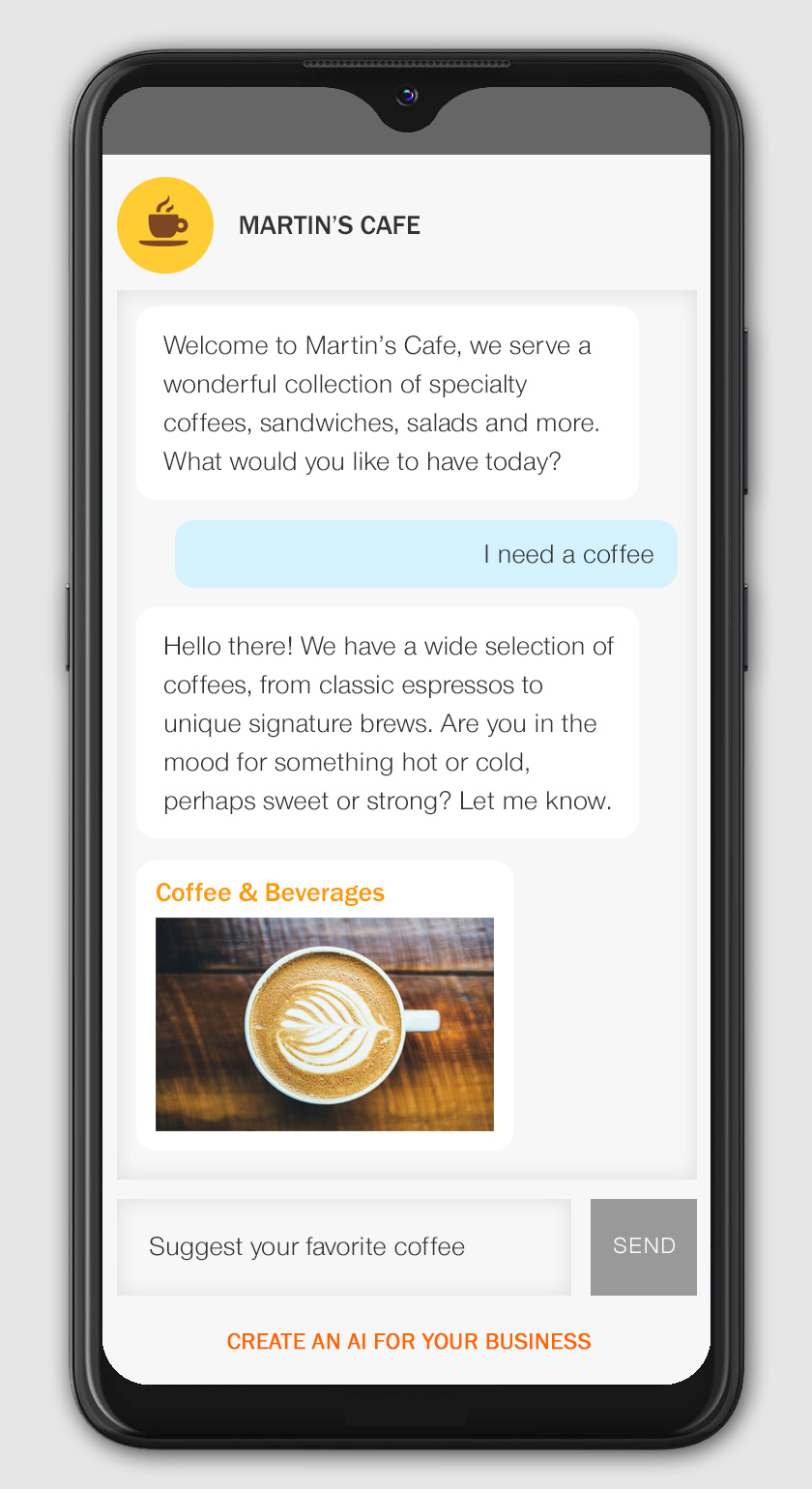
Make Your Restaurant Chatbot Now >Your restaurant chatbot can talk to your guests about new items on your menu. It can inform your guests about special offers and take feedback from them. It can show them images of your dishes and display prices. You can create a multilingual AI menu that guests can access via their smartphones while sitting in your restaurant or cafe:
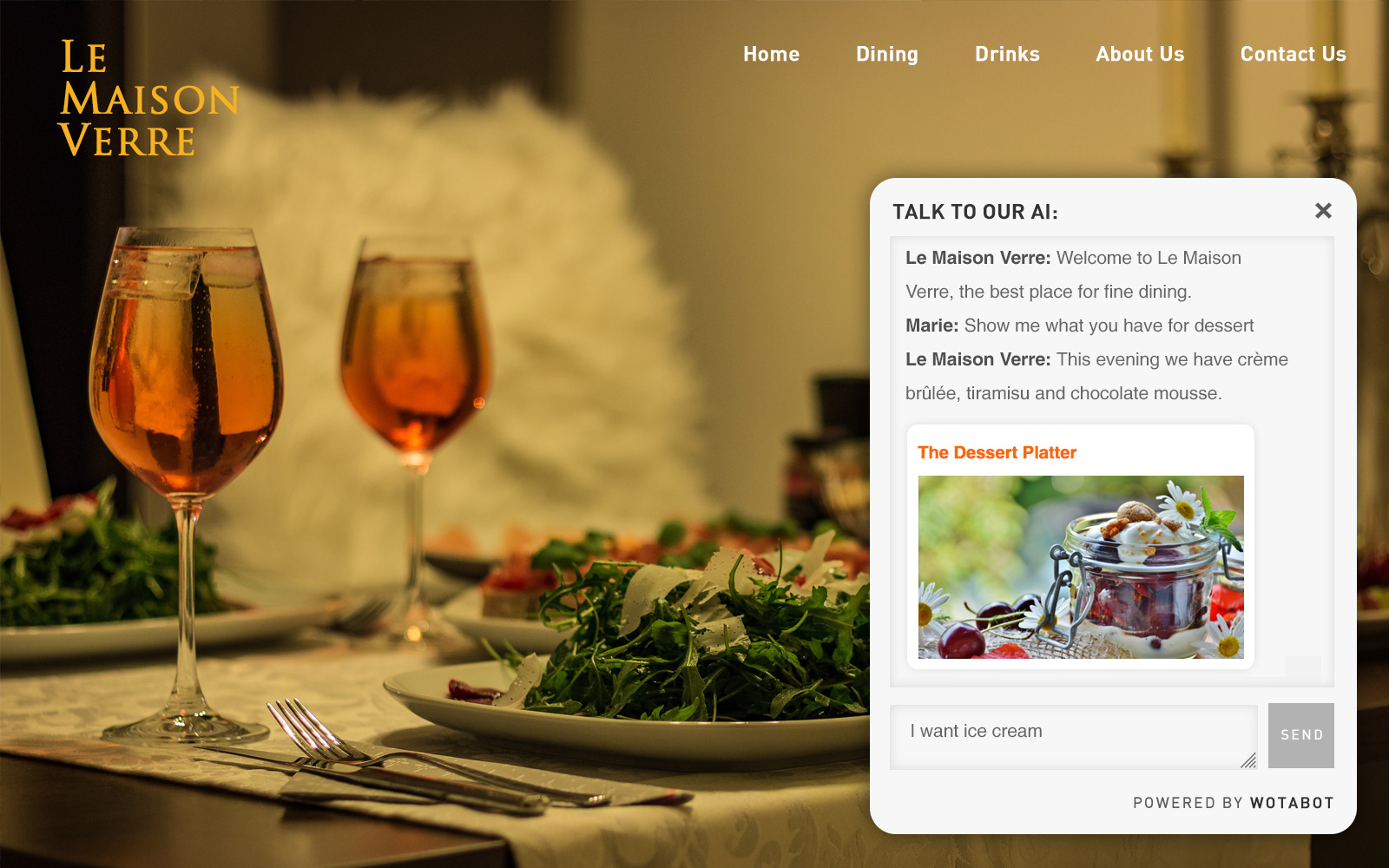
You can create photo galleries and add video to your AI-powered restaurant webpage. You can make a mini website with a built-in chatbot for your restaurant, bar or cafe in 5 minutes. It is free to try and restaurant or cafe owners can use it to communicate with each one of their guests directly. Take orders, suggest menu items and free up your staff for the kitchen or table service. Here's a restaurant demo you can try out:
Restaurant Chatbot Demo >Benefits Of An AI Menu Chatbot
🚀 Change prices and update your menu with new items whenever you want.
🚀 An AI menu can upsell items and suggest specials and premium items.
🚀 An AI chatbot reduces the load on your server staff.
🚀 Create a multilingual restaurant chatbot that can chat in English, French, German, Spanish and a number of other languages. This is perfect for places that get a lot of tourist traffic or areas frequented by business travelers.
🚀 Create photo galleries of your food items.
🚀 Add video to your AI menu - show your cafe interiors or events.
🚀 Promote connected businesses. Some of our customers in tourist areas run guesthouses along with their cafes. The AI chatbot can promote your rooms along with the dining experience or talk about places to visit nearby.
🚀 Get free marketing - guests can share your AI menu with their friends. Can't do that with a print menu.
🚀 Save on menu printing costs.
Make A Chatbot For Your Restaurant Or Cafe
Steps For Making Your Restaurant Chatbot
1. Get a soft copy of your menu.
2. Get all your food images, restaurant photos and logos in one place.
3. Sign up for a free business account on Wotabot. Enter your details and the platform will create a restaurant chatbot for you - https://www.wotabot.com/my-restaurant
4. Describe your restaurant - the kind of cuisine you serve, your location and neighborhood, opening hours, contact details, etc.
5. Give your restaurant AI some instructions. Ask your guests for their preferences - vegetarian, non-vegetarian, vegan, spicy, etc. Instruct the restaurant AI on the ordering and payment process - server takes the order, payment options, etc.
6. Create posts for your menu categories with photo galleries.
7. Create more posts for your restaurant photos and your specials, promotions and events, if any.
8. Print out QR codes for - https://www.wotabot.com/my-restaurant - and place them on tables on acrylic standees where your guests can easily access them. You can even share your AI menu link on your social media or integrate it in your website. Your customers can now start a conversation with your AI menu. View all the guest conversations in your AI manager on www.wotabot.com.
Need help with your restaurant chatbot? Get in touch - info@wotabot.com - and we will set up your AI menu for you.
Your Menu Chatbot
Designing and printing menus is an expensive task. It is an even bigger pain keeping a printed menu up-to-date with your latest food items and prices. You can simply make a menu chatbot on Wotabot with all your food items. You can update prices, create new menu items and food and bar prices with a few clicks. And you can do it on your phone while sipping a cappuccino.
Your guests can look up your Wotabot chatbot on their phones - https://www.wotabot.com/my-cafe - and select items from the list on your restaurant AI home page. They can ask your menu bot as many questions as they want. This will free up your restaurant staff for delivering orders and save them the hassle of remembering each item on the menu.
You can change menu items and update the latest prices from your smartphone whenever you want. Make a chatbot for your cafe or takeaway or your pizza joint. Create a chatbot for your bakery or your coffee shop. Just let your restaurant AI do all the order-taking and concentrate on creating good eats for your customers in the kitchen.
Make A Free Website For Your Restaurant
You can make a free website for your restaurant on Wotabot ith a built-in AI chatbot. You can create food menus with prices and photo galleries. You can add videos of your restaurant and events. You can change prices whenever you want and create promotions. You can add your location details and contact numbers.
Restaurant Chatbot Demo >You can share your restaurant website via a QR code or via social media. And the best thing is you get a built-in chatbot that can engage with your customers while they are in your restaurant. Your Wotabot restaurant chatbot goes far beyond being a simple QR menu.
Your free restaurant website has all the details about your menu and it is a powerful way to enagage with your guests. Create a foodie AI or an AI flavour maestro on Wotabot.
How To Build An AI Chatbot For Your Restaurant
Creating a restaurant chatbot can help with reservations, menu questions, orders, promotions, and customer support. Here's a clear step-by-step guide to planning one — from simple to advanced.
Define what your chatbot will do:
- Show menu items
- Take reservations
- Accept online orders
- Provide location & hours
- Share promotions
- Answer FAQs
Map out common conversations:
Guest: "I want to book a table"
Chatbot: "For how many people?"
Guest: "4"
Chatbot: "What date and time?"
Guest: "18 April, 6 pm"
Chatbot: "Your table is confirmed"
Extend your chatbot with (future dev):
- Google Calendar API
- Reservation systems
- Payment Integration (For Orders: Stripe/PayPal)
Make it smart (optional AI features):
- Personalized dish suggestions
- Upselling ("Would you like fries with that?")
- Language detection
- Sentiment analysis
- Loyalty program integration
Integrate Your Restaurant Chatbot With POS Software
The ideal menu bot should integrate with third-party order management systems. An end-to-end restaurant chatbot system will help the customer decide what they want and then send the order directly to the kitchen. Restaurant POS software optimizes operations by managing orders, payments, inventory, and staff, typically costing/month for software plus hardware. Top systems like Toast, Square, and Lightspeed offer cloud-based, mobile-friendly solutions, while specialized options include Aldelo, Focus, and open-source alternatives like Floreant.
Key features to look for in your POS software
Front-of-House: Tableside ordering via tablets, menu management, and split checks.
Back-of-House: Real-time inventory tracking, kitchen display systems (KDS), and staff scheduling.
Integration: Seamless online ordering, delivery service integration (e.g., DoorDash), and loyalty programs.
Reporting: Analytics to track sales trends and labor costs.
Make A Restaurant Chatbot >